



One. Course Details
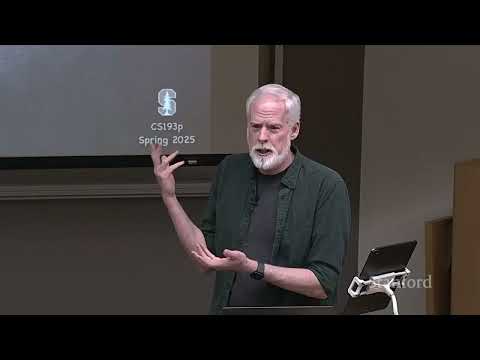
This is the second lecture of Stanford University's CS193p iOS Application Development course for Spring 2025, taught by Paul Hegarty. Following the first lecture's introduction to Xcode and SwiftUI views, this session focuses entirely on hands-on demo-based learning, with no formal slides beyond a brief preview of upcoming topics.
The lecture opens with a three-minute recap of core SwiftUI view concepts from the previous class, then introduces view modifiers—the second foundational pillar of SwiftUI UI development. The majority of the session is dedicated to starting the course's flagship narrative project: CodeBreaker, a digital implementation of the classic Mastermind board game. Students learn how to decompose complex UIs into reusable components, generate dynamic views from data, and model game state using Swift enums.
Next week's lecture will cover the Model-View-ViewModel (MVVM) architecture, which separates game logic from the UI, and dive deeper into fundamental Swift features including structs, generic types, optionals, and extensions.
Two. Key Learning Takeaways
View modifiers are standard Swift functions defined on the View protocol that return a new, modified view rather than changing the original view in place. View modifier order matters significantly: modifiers are applied sequentially, and changing their order produces different visual results. Container views automatically pass applicable modifiers down to their child views, while modifiers that affect the container itself are not propagated. Decompose your views aggressively: large, monolithic view bodies cause slow compile times and make syntax errors nearly impossible for the compiler to diagnose. ForEach is a special "bag of Lego" view that generates views dynamically from an array, requiring a unique identifier for each element to support animations and state tracking. Enums are ideal for representing discrete states such as match types (exact, inexact, no match) in the CodeBreaker game. Swift uses type inference to eliminate redundant type annotations, allowing shorthand syntax like .red instead of Color.red when the context is clear. The Xcode preview canvas is great for rapid iteration, but always use the simulator to debug crashes—it provides detailed stack traces and error messages that the preview does not.
Three. Course Gold Quotes
"Views and view modifiers are the two major pillars in the building of our UIs. That's 90% of everything you need to know to build any SwiftUI interface." "Anytime you find yourself copying and pasting code in any programming environment, you're probably not doing it right. Copy and paste usually means you need a function." "I cannot overemphasize enough how much you want to decompose your views. If you have gigantic var body blocks, your compiler will just sit there compiling for minutes and eventually give up." "View modifiers don't change the view you apply them to. They return a whole new view that has that modification applied to it." "The order of view modifiers is not just a style thing—it completely changes what your UI looks like. You can use this to your advantage to get exactly the look you want." "ForEach needs a unique identifier for every element in the array. It can't keep track of which view is which if your elements aren't unique, and that breaks animations and state updates." "Swift is a strongly typed language. There's no fuzzy types or 'I don't know what this is'. Every single thing has a very specific, concrete type."
Four. Layered Learning Notes
Module 1: View Modifier Fundamentals
View modifiers are the primary way to customize the appearance and behavior of SwiftUI views. Every view automatically gets access to hundreds of these functions because they conform to the View protocol.
When you apply a modifier like .font(.largeTitle) to a Text view, you are not changing the original Text struct. Instead, the modifier returns a brand new view that wraps the original Text and applies the specified styling. This immutable design is a core principle of SwiftUI.
-
Applying
.padding()before.background(.yellow)adds a yellow background to the padded area -
Applying
.background(.yellow)before.padding()adds a yellow background only to the text itself, with transparent padding around it
-
Modifiers that affect content (like
.font()or.foregroundStyle()) are passed down to all child views -
Modifiers that affect the container itself (like
.padding()) are applied only to the container and not propagated -
Child views can always override inherited modifiers by applying their own
Module 2: Starting the CodeBreaker Project
CodeBreaker is a digital version of the classic Mastermind board game. The game rules are simple:-
One player creates a secret four-color code
-
The other player makes repeated guesses at the code
-
After each guess, the code master provides feedback:
-
Black peg: correct color in the correct position
-
White peg: correct color in the wrong position
-
No peg: color not present in the code
-
The lecture begins building the game UI by creating the colored pegs and feedback markers. The initial implementation uses hardcoded Circle views arranged in HStacks and VStacks, but this approach is quickly identified as problematic due to excessive code duplication.
Module 3: View Decomposition and Reusability
The solution to code duplication is view decomposition—breaking large, complex views into smaller, reusable components. There are two primary ways to decompose views in SwiftUI:-
Computed properties: Create a
var some Viewthat returns a reusable view component. This works well for simple, static components. -
Functions with parameters: Create a
func(arguments) -> some Viewthat generates a view based on input parameters. This allows dynamic customization of the component. -
Custom view structs: Create an entirely new struct that conforms to the View protocol. This is the most powerful form of decomposition, ideal for complex components that need their own state or logic.
For the CodeBreaker pegs, the lecture first uses a function that takes an array of colors as a parameter, then later refactors the feedback markers into a separate MatchMarkers view struct in its own file. This separation of concerns makes the codebase more maintainable and easier to debug.
Module 4: Dynamic View Generation with ForEach
To avoid hardcoding four separate Circle views for each row of pegs, the lecture introduces ForEach—a special view that generates a list of views from an array.
-
Use the element itself as the identifier (
id: \.self) if all elements in the array are guaranteed to be unique -
Use the indices of the array (
ForEach(colors.indices, id: \.self)) if elements may be duplicated
The lecture uses the index approach for the CodeBreaker pegs since the same color can appear multiple times in a guess. ForEach automatically wraps the generated views in a "bag of Lego" tuple view, which can be placed directly inside any container view like HStack or VStack.
Module 5: Data Modeling with Enums
To represent the three possible match states (exact, inexact, no match), the lecture introduces Swift enums. Enums are perfect for modeling discrete, mutually exclusive states.
TheMatch enum is defined with three cases:swift
enum Match {
    case nomatch
    case exact
    case inexact
}
The MatchMarkers view then takes an array of Match values as a parameter and draws the appropriate feedback pegs. The lecture demonstrates how to use functional programming techniques like array.count(where:) to count the number of exact and inexact matches, and how to dynamically apply different modifiers (fill, strokeBorder, opacity) based on the match state.
These are structured study notes and in-depth interpretations I compiled by watching the public lecture. I hope this knowledge framework helps you master SwiftUI development thoroughly. Wishing you academic progress and fruitful learning.
May you build clean, maintainable SwiftUI apps as you continue your iOS development journey. May your previews compile quickly, your code be free of bugs, and your CodeBreaker game turn out perfectly. Good luck with your first assignment and the rest of the course!